GitHub Pages Setup
Course ID: GHP-DOM-101 · Level: Beginner to intermediate · Estimated effort: 5–7 hours · Learning format: 7 navigable modules, 3 practical labs, a graded formative knowledge check and a capstone.
Learn to deploy and maintain a production-ready static website: version control, reproducible build and release workflows, correct DNS and domain verification, HTTPS security, and operational recovery.
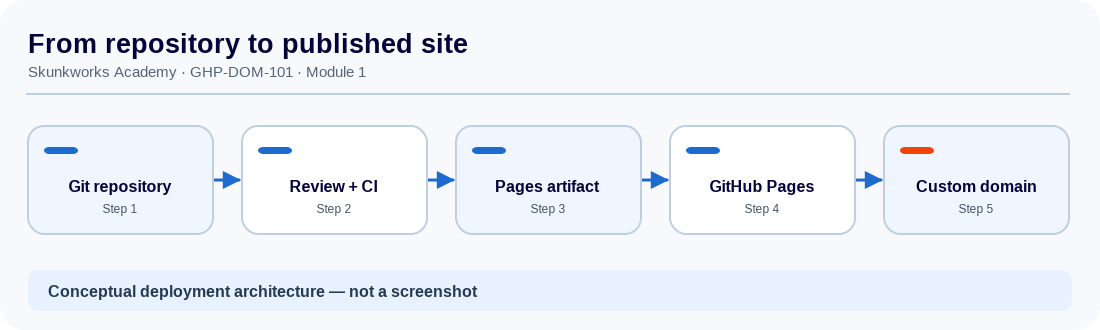
Your seven-module learning pathway
Choose any module below to open a dedicated lesson page. Each page has a diagram, objectives, real technical examples, application exercise, and previous/next navigation.
What you will be able to demonstrate
- Configure and publish a GitHub Pages site through reviewed source changes and GitHub Actions.
- Correctly configure project-site base paths and avoid broken stylesheets or JavaScript.
- Design and validate CNAME or apex-domain records, with change-control and rollback evidence.
- Verify HTTPS and recognize dangling-domain and deployment credential risks.
- Troubleshoot failing builds, certificates, custom domains and route resolution.
- Deliver a multi-page capstone website with reproducible test evidence and an operations runbook.
What you need
A GitHub account, Git or Codespaces access, a text editor, Node.js 20 or later for the Docusaurus lab, and PowerShell or Bash. DNS zone permissions are optional: when unavailable, complete a clearly labeled simulation instead of modifying production records.
Assessment and evidence: The formative quiz and six-criterion capstone rubric appear in Module 7. The activities across the modules generate an Evidence of Capability Record that an assessor can review.
Public GitHub Pages build artifacts are not an appropriate location for confidential work, assessment answer keys, learner personal information or paid course materials. Use an authenticated Academy LMS/evidence service for restricted assets and recorded grades; the browser enrolment gate is not equivalent to protected hosting.
Protected learning content
GitHub Pages Setup
Confirming your learner account and course enrolment.